For makers · Computer vision
Teach your camera what to look for. Your own object detection, no code.
Tools in the workshop, birds at the feeder, parts on the line: with FrameTrain you label your photos, train a YOLO model and test it – all in one app, on your own computer.
14 days · No payment details · Ends on its own
How it works
From photo to model in four steps.
- 01
Collect photos
From a folder, from web pages or from Hugging Face. Images from cameras at home or at work stay on your machine.
- 02
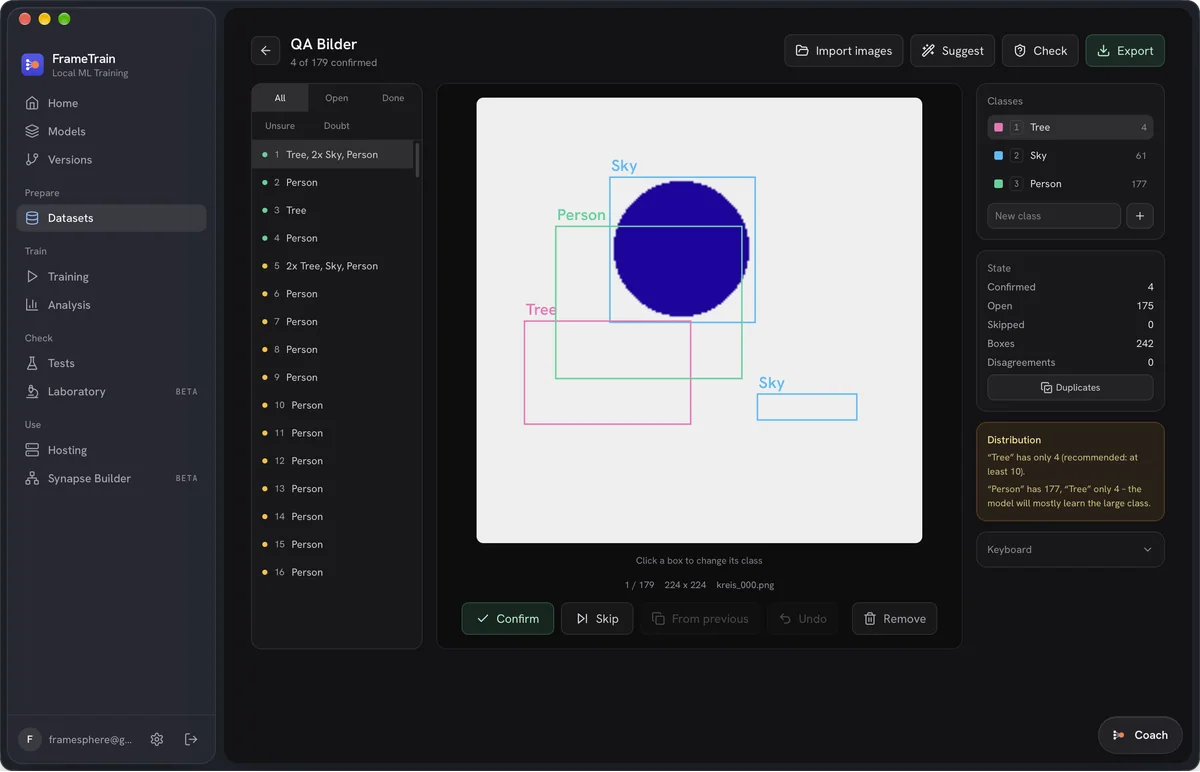
Draw boxes
In the Dataset Studio you mark objects and assign classes – by keyboard, with suggestions from a model you already trained. The app warns when a class has fewer than 10 examples.
- 03
Train YOLO
Pick a base model (for example YOLO11 or YOLOv8 via Ultralytics), apply a template, start. You follow progress live.
- 04
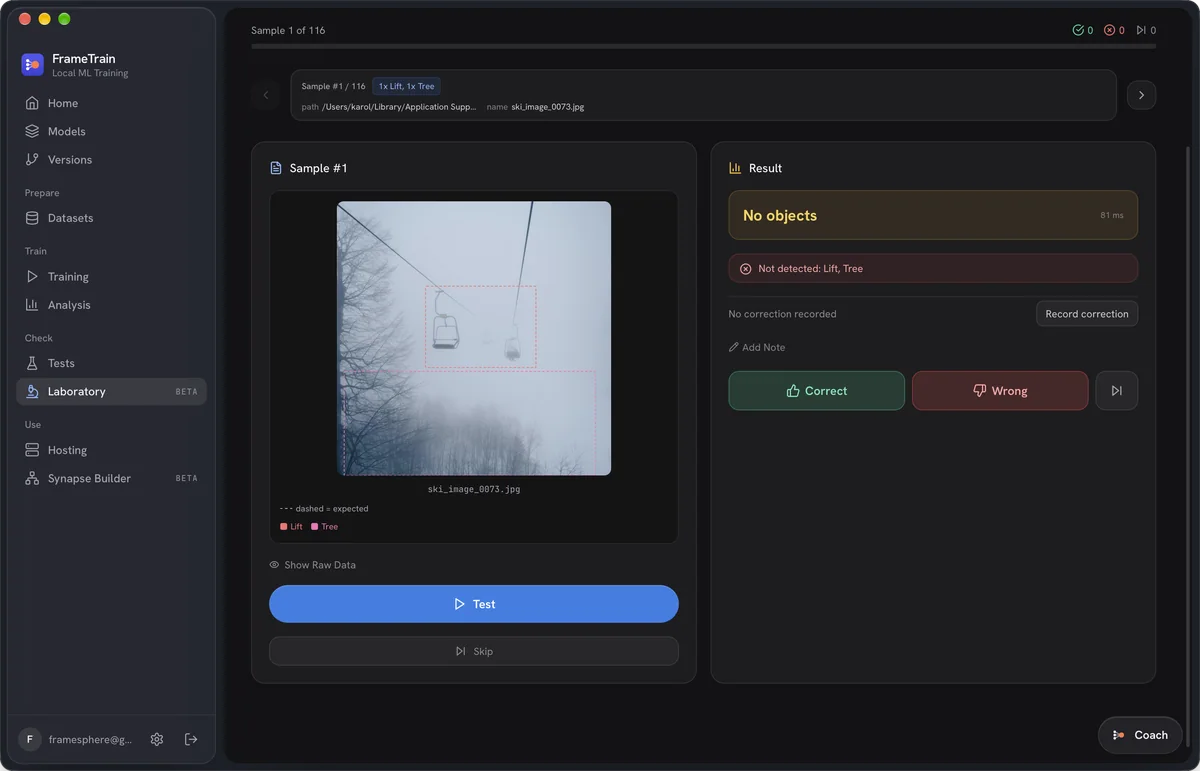
Test and improve
In the Laboratory you run real images and rate the results. Misdetected images go back into the dataset as corrections with one click.
Why local
Image recognition belongs on your machine.
Your images stay private
Camera images from your home, garden or business are never uploaded. Training runs on your GPU.
No uploading thousands of photos
Just select large image folders instead of spending hours pushing them to a cloud.
No hourly prices
Train as often as you like. Experiments don't burn compute credits.
Ready to use
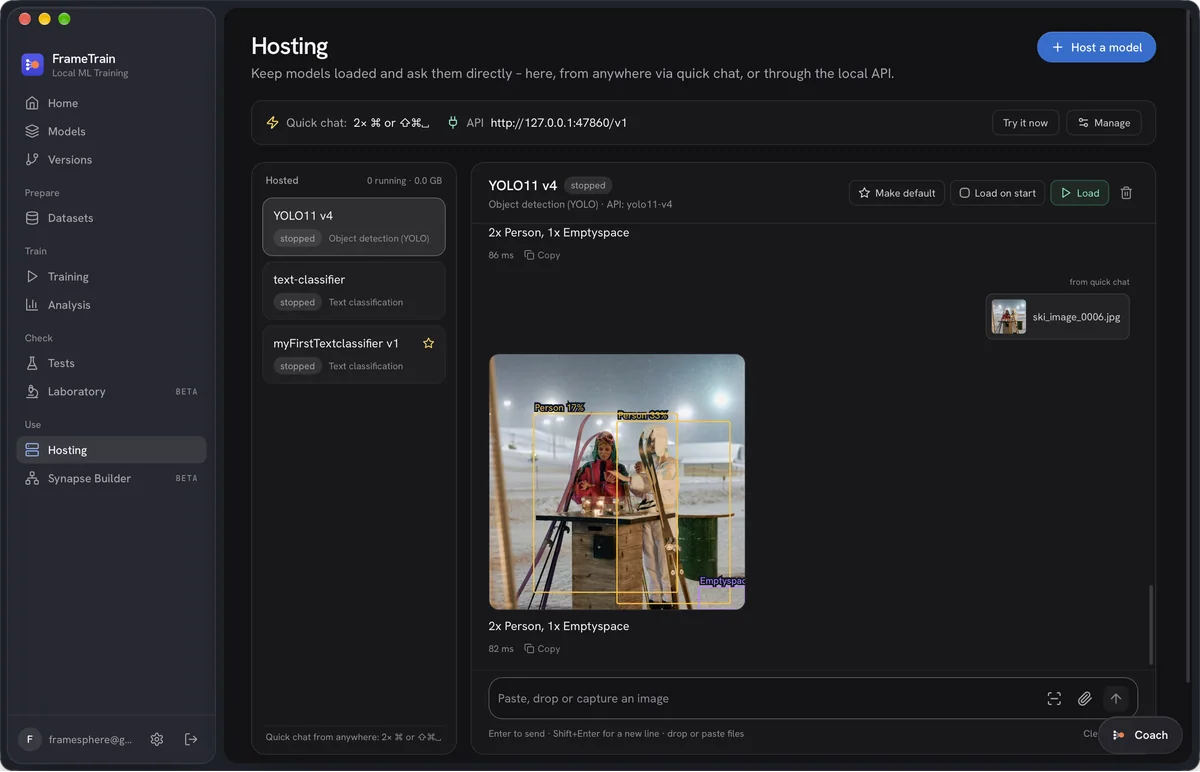
In the Hosting view you load your model and call it through the local API – from your own script, for instance.
What you need
The requirements, listed honestly.
- Computer
- MinimumMac with Apple Silicon or a Windows/Linux PC
- BetterNVIDIA graphics card or an M-chip with plenty of unified memory
- Memory
- Minimum8 GB
- Better16 GB or more
- Images per class
- Minimum10 (the app warns below that)
- Bettermany more, from different angles and lighting
- Prior knowledge
- Minimumnone – everything happens in the interface
- Better–
| Minimum | Better | |
|---|---|---|
| Computer | Mac with Apple Silicon or a Windows/Linux PC | NVIDIA graphics card or an M-chip with plenty of unified memory |
| Memory | 8 GB | 16 GB or more |
| Images per class | 10 (the app warns below that) | many more, from different angles and lighting |
| Prior knowledge | none – everything happens in the interface | – |
Training also works without a GPU, but takes considerably longer on the CPU.
Frequently asked questions
No. FrameTrain trains on NVIDIA GPUs with CUDA and on Macs with Apple Silicon via Metal. Without a GPU, training runs on the CPU – it works, but it is much slower.
FrameTrain uses Ultralytics and therefore supports YOLO models such as YOLOv8 and YOLO11 – for detection, segmentation, keypoints (poses), rotated boxes and classification.
The trained model is a file on your machine. Ultralytics YOLO models can be exported with the Ultralytics tools to formats such as ONNX that run on small devices like the Raspberry Pi. FrameTrain does not handle that export itself at the moment.
The app warns below 10 examples per class. For reliable results you want far more – especially from different angles, distances and lighting. The Laboratory quickly shows you where the model still needs examples.
Train your first object detection tonight.
14 days free, no payment details. If it isn't for you, the trial simply ends.