Guide · Apple Silicon
MLX vs. PyTorch on the Mac. Which framework for training?
If you train models on a Mac with an M-chip, you end up with two options: PyTorch with the Metal backend (MPS) or Apple's own framework MLX. Both use the M-chip's GPU – but in different ways.
14 days · No payment details · Ends on its own
The short version
Two routes to the Mac GPU.
PyTorch is the standard framework of the ML world. On the Mac it runs on the Metal backend MPS. Its big advantage is the ecosystem: Hugging Face Transformers, PEFT/LoRA and countless examples work out of the box. Some operations aren't supported by MPS yet and fall back to the CPU.
MLX is an open-source framework from Apple, released in 2023 and built specifically for Apple Silicon. It uses the unified memory shared by CPU and GPU directly. With mlx-lm there's a dedicated library for fine-tuning language models with LoRA.
Compared
MLX and PyTorch (MPS) side by side.
- Developed by
- PyTorch (MPS)Meta and the community
- MLXApple
- Platforms
- PyTorch (MPS)macOS, Windows, Linux
- MLXApple Silicon only
- Uses unified memory
- PyTorch (MPS)Partly
- MLXYes
- Ecosystem (Hugging Face, PEFT)
- PyTorch (MPS)Yes
- MLXPartly
- LoRA for language models
- PyTorch (MPS)Yes
- MLXYes
- Vision and special models (e.g. YOLO)
- PyTorch (MPS)Yes
- MLXPartly
- Same code on NVIDIA and Mac
- PyTorch (MPS)Yes
- MLXNo
| PyTorch (MPS) | MLX | |
|---|---|---|
| Developed by | Meta and the community | Apple |
| Platforms | macOS, Windows, Linux | Apple Silicon only |
| Uses unified memory | Partly | Yes |
| Ecosystem (Hugging Face, PEFT) | Yes | Partly |
| LoRA for language models | Yes | Yes |
| Vision and special models (e.g. YOLO) | Yes | Partly |
| Same code on NVIDIA and Mac | Yes | No |
As of October 2026. Real speeds depend heavily on model, chip and memory – that's why there are deliberately no benchmark numbers here.
Deciding
When to use which?
PyTorch (MPS) if …
- you train image, text or audio models from Hugging Face
- your project should also run on NVIDIA machines
- you want to use existing tutorials and scripts
- you need YOLO or other special models
MLX if …
- you work exclusively on Apple Silicon
- you fine-tune language models with LoRA
- you want to make full use of your Mac's shared memory
- you can live with a younger, smaller ecosystem
In FrameTrain
You don't have to choose up front.
- 01
PyTorch for everything
On the Mac, FrameTrain trains with PyTorch on Metal by default – for image, text, audio and language models.
- 02
MLX for language models
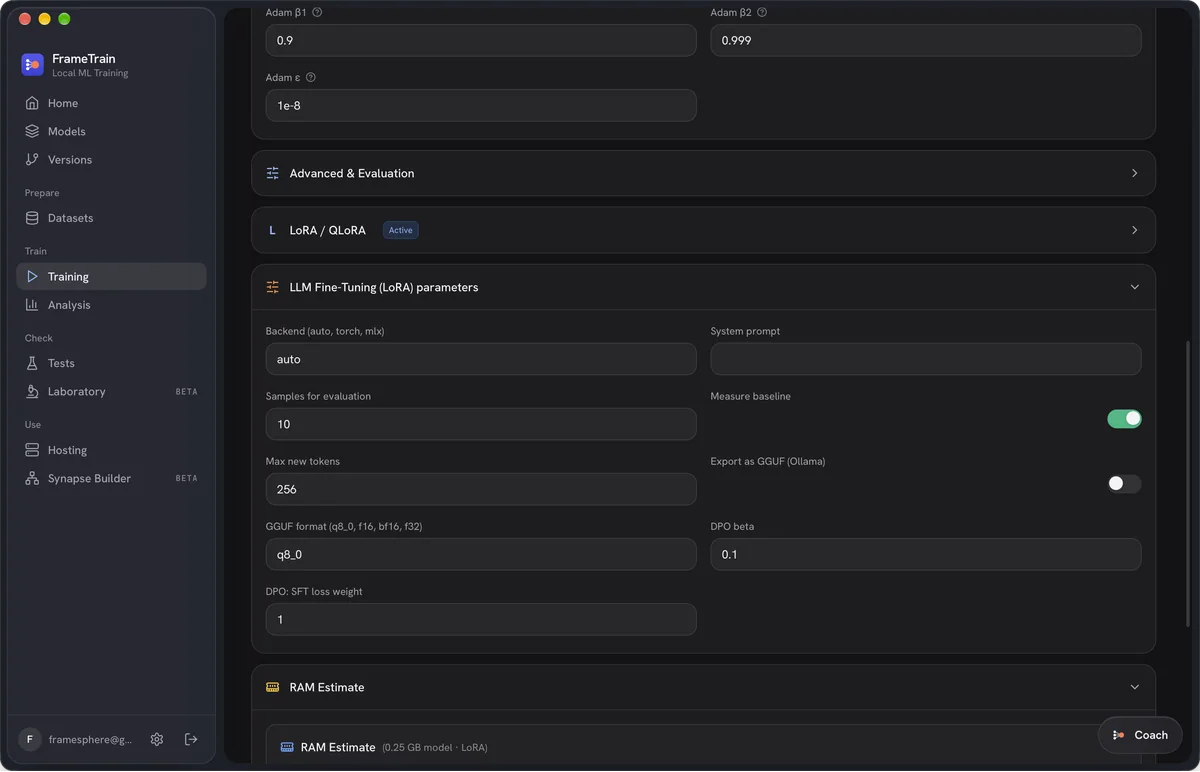
LLM fine-tuning has a Backend field with the options auto, torch and mlx. MLX needs the mlx-lm package installed; the app tells you if it's missing.
- 03
Compare the results
Every run is saved as its own version, so the Analysis view shows you which backend does better on your Mac.
Frequently asked questions
For LoRA fine-tuning of language models on Apple Silicon, MLX is often described as faster and more memory-efficient. How big the difference is depends on model, chip and memory. For other model types, PyTorch is usually the more practical choice thanks to its larger ecosystem.
Partly. Weights can be converted between formats, but that's an extra step. If your model should also run on NVIDIA hardware later, PyTorch is the more direct route.
No, MLX is built for Apple Silicon only. FrameTrain also supports only Apple Silicon on the Mac.
Try both backends on your Mac.
14 days free, no payment details. If it isn't for you, the trial simply ends.